Online Training

10961: Automating Administration with Windows PowerShell Online Training

4.9
( 2124 Learners)

Multisoft Virtual Academy provides online training on Automating Administration with Windows PowerShell that focuses on providing the primary skills that are required to learn PowerShell 3.0 for automating administrative tasks of Windows-based servers.

multisoft virtual academy
4.8 ★ Rating
1000+ Reviews
10M+
Learners
5K+
Subject Matter Experts
25+ Years
Industry Experience

Upcoming Virtual Sessions

Pick a weekend and begin your learning journey with live instructor-led sessions.

Mode: Virtual

Course Price At

INR 40,000

Enroll Now
Secure Transaction
Live Virtual Classes

Learn from expert instructors in real-time

Interactive Learning

Engage in Q&A and discussions

Flexible & Convenient

Learn from anywhere on any device

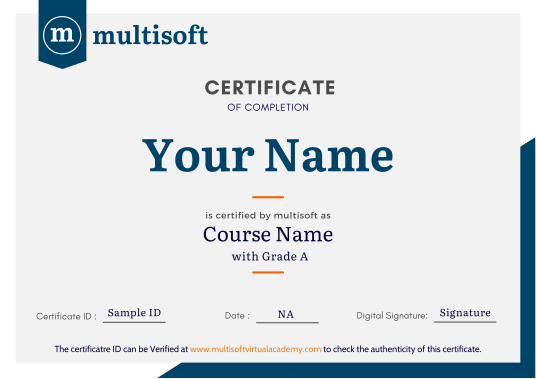
Certificate of Completion

Earn a recognized certificate

Upcoming Batches

16 May 2026 32 06:00 PM - 10:00 AM Sat, Sun
17 May 2026 32 06:00 PM - 10:00 AM Sat, Sun
23 May 2026 32 06:00 PM - 10:00 AM Sat, Sun
24 May 2026 32 06:00 PM - 10:00 AM Sat, Sun

Course Price At

$ 490

Enroll Now
lockimage Secure Transaction lockimage lockimage

Talk to our training advisor

Instructor-led Training Live Online Classes

Instructor-Led Online Training Parameters

Course Highlights

Duration: 24 Hrs

Subject Matter Expert

After Training Support

Lifetime E-Learning Access

Recorded Sessions

Free Online Assessments

Instructor-Led Online Training Parameters

Course Highlights

  • Duration: 32 Hrs.
  • Subject Matter Expert
  • After Training Support
  • Lifetime e-Learning Access
  • Recorded Sessions
  • Free Online Assessments

Automating Administration with Windows PowerShell Training Course Overview

Multisoft Virtual Academy provides online training on Automating Administration with Windows PowerShell that focuses on providing the primary skills that are required to learn PowerShell 3.0 for automating administrative tasks of Windows-based servers.

This training provides the learner the knowledge required to understand the fundamentals of Windows PowerShell and the working and concept of Pipeline. It also familiarizes the learner with different techniques and command line features of PowerShell for different Microsoft Products. These include System Center, SharePoint Server, Windows Server, SQL Server, Exchange Server, Windows Client, etc.

Automating Administration with Windows PowerShell Training Course Content

  • Getting Started with Windows PowerShell
  • Working with the Pipeline
  • Understanding How the Pipeline Works
  • Using PSProviders and PSDrives
  • Formatting Output
  • Querying Management Information by Using WMI and CIM
  • Preparing for Scripting
  • Moving From a Command to Script to Module
  • Administering Remote Computers
  • Putting it All Together
  • Using Background Jobs and Scheduled Jobs
  • Using Profiles and Advanced PowerShell Techniques

Target Audience

Automating Administration with Windows PowerShell Trainer Profile

Build strong Automating Administration with Windows PowerShell skills under expert trainers with 19+ years of industry experience, focusing on real-time project handling, integrations, and financial system implementations.

19+ Years Experienced

Our Automating Administration with Windows PowerShell trainers bring over 19+ years of hands-on industry experience.

Trained 2950+ Professionals

Our Automating Administration with Windows PowerShell trainers have trained over 2950+ students in real-world cloud courses

Real-time Project Learning

Gain practical knowledge through live projects guided by industry-certified trainers.

Hands-on Learning Approach

Experience practical learning through real-world scenarios, case studies & industry assignments.

Certification Training Guidance

Get expert guidance to prepare, practice, and successfully clear certification exams.

Customized Training Delivery

Training is tailored to course content based on learner requirements and industry needs.

Automating Administration with Windows PowerShell Training Certification

How to Build a Successful Career in Automating Administration with Windows PowerShell


Build Strong Foundations

Build strong fundamentals through a structured curriculum aligned with real-world project requirements and current industry standards.

Hands-on Project Experience

Develop job-ready skills by working on real-time projects, case studies, and practical assignments using Primavera P6 tools.

Profile Strength

Create a strong professional profile with optimized resume, project showcase, and skills presentation aligned with industry expectations.

Globally Recognized Training Certificate
Industry-Based Knowledge

Gain practical understanding of project workflows, planning strategies, and execution approaches used across real industry environments.

Global Certification

Validate your expertise with a globally recognized certification that enhances credibility and improves your professional career opportunities.

Achieve Career Growth

Unlock better career opportunities by gaining in-demand skills that align with evolving industry trends and global job requirements.

Our Corporate Clients

whatsapp chat
+91 8130666206

Available 24x7 for your queries

For Career Assistance : Indian call   +91 8130666206